Documentation Getting started
Cookie consent
Let Dealroot wait for marketing consent from your cookie banner, through the WP Consent API or a line of code.
Dealroot remembers how a visitor reached your site in a first-party cookie, dealroot_attr, for 90 days by default (Remember visits for under Leads → Settings). A second cookie, dealroot_path, keeps the number of visits and the last pages viewed. Nothing is sent to another server. In the EU and the UK, campaign tracking usually requires prior consent, so Dealroot can wait for it.
Choose how under Leads → Settings → Tracking:
Track without waiting for consent
Use this only where you do not need consent, for example for visitors outside the EU and the UK, or when your legal advisor confirms it for your case.
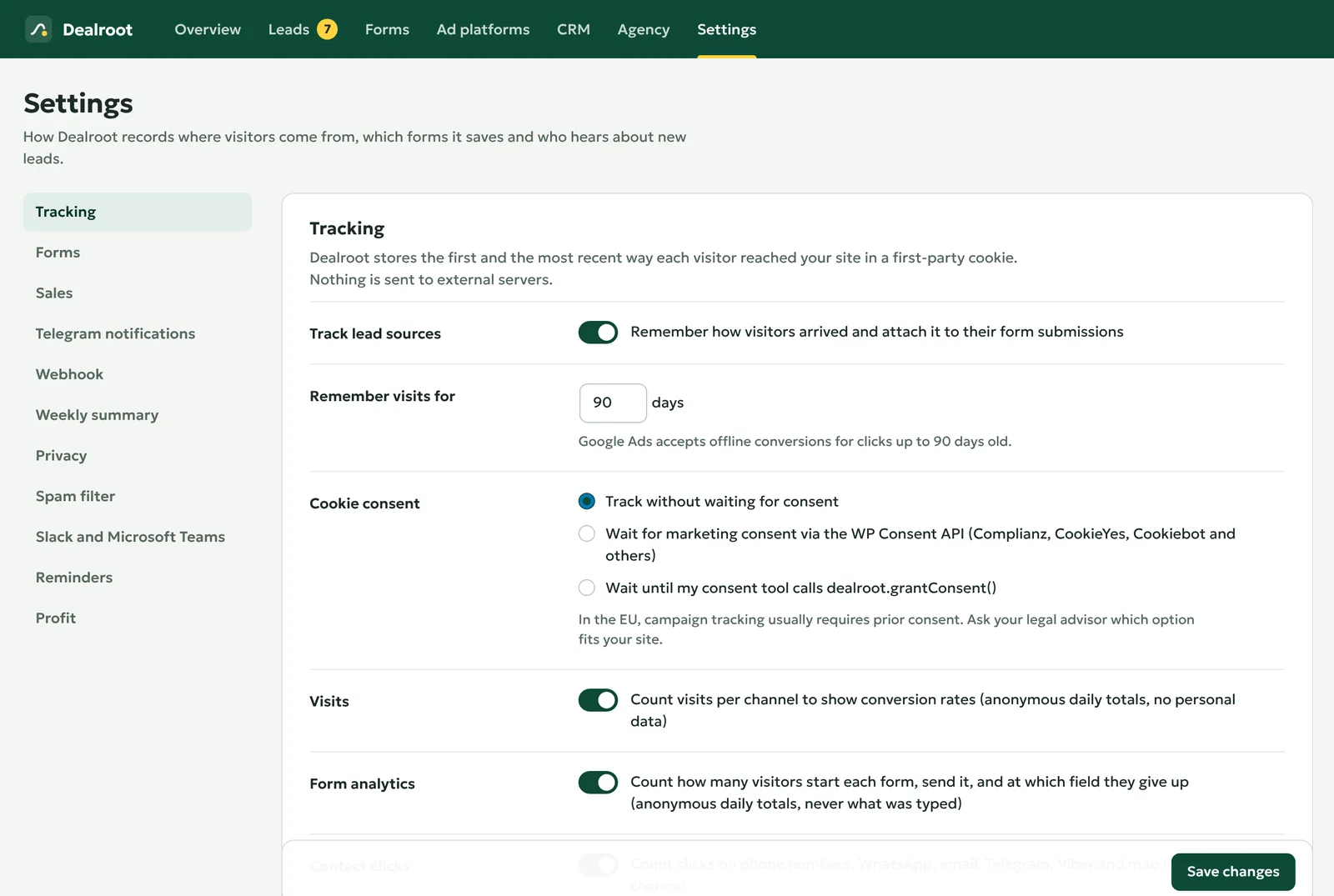
Wait for consent through the WP Consent API
Most consent plugins support the WP Consent API, among them Complianz, CookieYes and Cookiebot. Dealroot starts tracking when the visitor allows the category marketing, and also when they do so later on the same page.
If you choose this option but no plugin provides the API, visitors are never tracked. Dealroot then warns you on its screen and in Site Health.
Wait for your own consent tool
Call this when the visitor agrees to marketing cookies:
window.dealroot.grantConsent();Or send an event, which works even if Dealroot’s script loads later:
document.dispatchEvent( new Event( 'dealroot:consent' ) );Setting window.dealrootConsent = true before the script loads works too.
What consent changes in Pro
Without consent, there is no click ID and no source, so Dealroot Pro reports nothing to the ad platforms for that lead. The lead screen says so. The lead itself is still saved, because your form plugin saves the submission anyway.
Text for your privacy policy
Dealroot adds suggested text to Settings → Privacy → Policy guide in WordPress. It describes the cookies, the reporting to ad platforms if you use Pro, and the CRM if you connect one. Adapt it to your site.